
Note
Go to the end to download the full example code.
Creating a raster from array#
This example demonstrates the creation of a raster through from_array().
import numpy as np
import pyproj
import rasterio as rio
We create a data array as ndarray, a transform as affine.Affine and a coordinate reference system (CRS) as pyproj.CRS.
import geoutils as gu

# A random 3 x 3 masked array
rng = np.random.default_rng(42)
arr = rng.normal(size=(5, 5))
# Introduce a NaN value
arr[2, 2] = np.nan
# A transform with 3 x 3 pixels in a [0-1, 0-1] bound square
transform = rio.transform.from_bounds(0, 0, 1, 1, 3, 3)
# A CRS, here geographic (latitude/longitude)
crs = pyproj.CRS.from_epsg(4326)

# Create a raster
rast = gu.raster.from_array(data=arr, transform=transform, crs=crs, nodata=255)
rast
We can print info on the raster.
Driver: None
Filename: None
Loaded? True
Grid size: 5, 5
Number of bands: 1
Data types: float64
Coordinate system: ['WGS 84']
Nodata value: 255.0
Pixel interpretation: None
Pixel size: 0.3333333333333333, 0.3333333333333333
Upper left corner: 0.0, 1.0
Lower right corner: 1.6666666666666665, -0.6666666666666665
The missing value is represented by a NaN in the xarray.DataArray.
array([[ 0.30471708, -1.03998411,  0.7504512 ,  0.94056472, -1.95103519],
       [-1.30217951,  0.1278404 , -0.31624259, -0.01680116, -0.85304393],
       [ 0.87939797,  0.77779194,         nan,  1.12724121,  0.46750934],
       [-0.85929246,  0.36875078, -0.9588826 ,  0.8784503 , -0.04992591],
       [-0.18486236, -0.68092954,  1.22254134, -0.15452948, -0.42832782]])
We could also have created directly from a MaskedArray.
# A random mask, that will mask one out of two values on average
mask = rng.integers(0, 2, size=(5, 5), dtype="bool")
ma = np.ma.masked_array(data=arr, mask=mask)

# This time, we pass directly the masked array
rast = gu.raster.from_array(data=ma, transform=transform, crs=crs, nodata=255)
rast
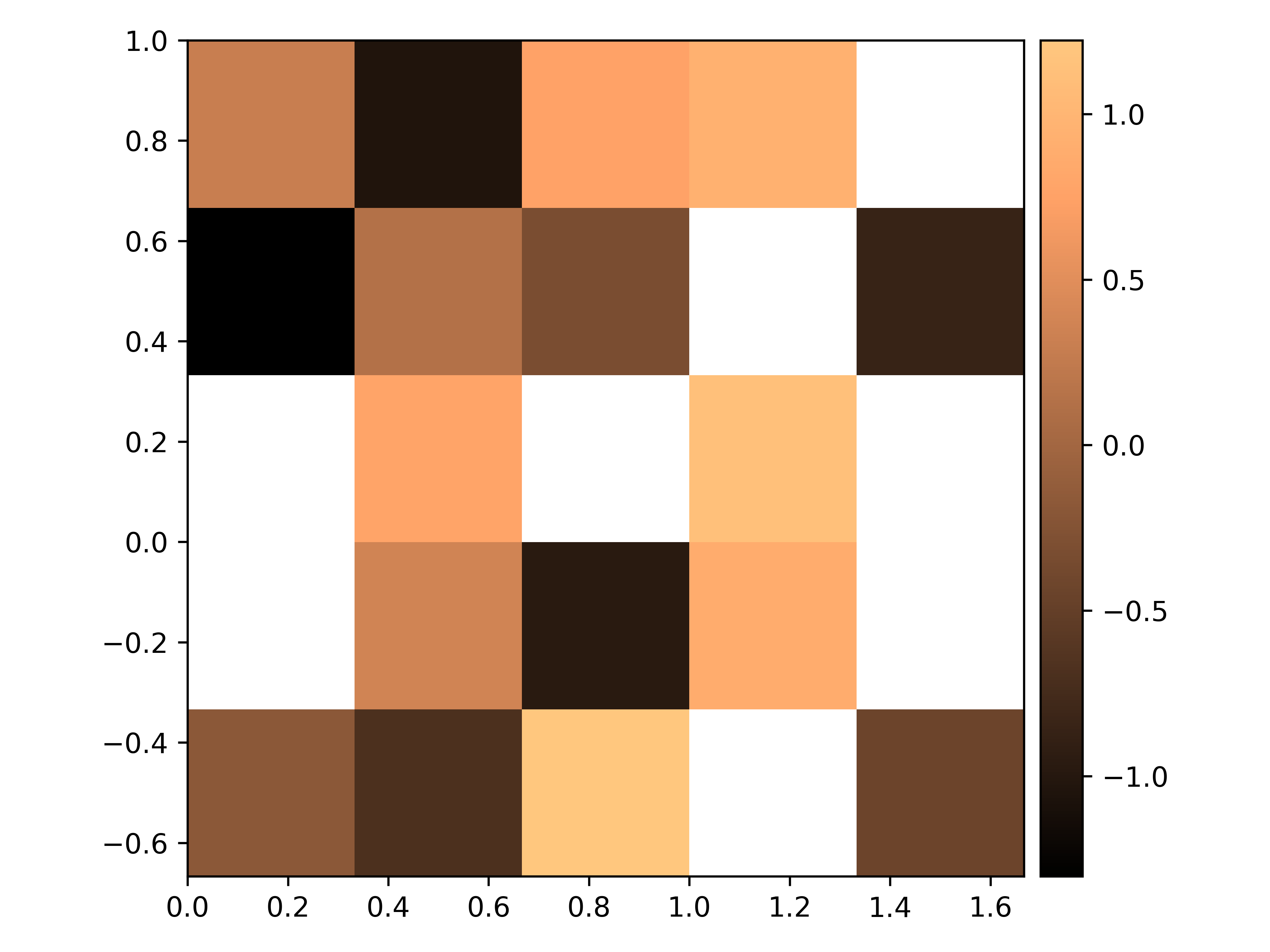
The different functionalities of GeoUtils will respect missing values, starting with plot(),
which will ignore them during plotting (transparent).
rast.rst.plot(cmap="copper")
Total running time of the script: (0 minutes 0.533 seconds)